
In brief
- Start with a unified lead model and a list of required statuses, not with choosing a CRM, bot, or integration platform.
- Every channel should create a record through one intake layer that validates data, prevents duplicates, and records the source.
- A notification to a manager is not the same as automation: the system needs owner assignment, response-time monitoring, a change history, and clear error handling.
- It is better to launch the first version for one lead type and two channels, while keeping a manual fallback process until reliability has been confirmed.
- Results should be evaluated by completeness of records and process controllability, not by the number of messages sent.
What Lead Automation Actually Means
The task usually sounds simple: send website forms to Telegram or a CRM. This kind of forwarding is useful, but it only solves notification delivery. Full automation begins when every lead becomes a manageable object with a unique identifier, source, contact details, owner, current status, time of the next action, and a history of changes.
The difference becomes especially clear when several channels are involved. A customer may first submit a form, then write in Telegram, and later call. Without a unified model, the company sees three inquiries and may assign them to different managers. In an end-to-end process, the system links the inquiries to one customer, shows the history to the employee, and does not force the customer to repeat information they have already provided.
When a Business Already Needs a Unified Intake System
The problem rarely appears as an obvious technical failure. More often, it looks like organizational noise: managers forward screenshots, ask who responded to a customer, manually copy a phone number from a chat into a spreadsheet, and use different names for the same status. The manager receives final figures from several sources and cannot quickly determine where the process broke down.
- the form reports a successful submission, but the inquiry cannot be found in the working system;
- incoming messages are distributed among employees' personal accounts;
- one customer creates several records after contacting the company again;
- the owner is assigned manually, and the lead remains unassigned when that person is unavailable;
- the manager sees the number of leads but cannot see response times or reasons for closure;
- an integration failure is discovered only after a customer complains.
If these signs appear regularly, adding another notification usually creates more noise. The business needs a central intake layer and rules agreed in advance. With a small volume, it is possible to begin without a complex CRM: a unified register and consistent status handling matter more. If sales are already managed in a CRM, the new system should extend it rather than create a parallel database.
Why Leads Get Lost Between Channels
| Cause | What Happens | What to Provide For |
|---|---|---|
| No intake confirmation | The source sent the data, but the receiving system did not record it | A response containing the lead identifier and retry delivery |
| No duplicate prevention | One webhook or user action creates several records | An idempotency key and matching rules |
| Different data formats | Phone numbers, names, and sources are recorded in incompatible ways | Validation and normalization at intake |
| Statuses live in chats | A decision has been made, but the lead remains new in the register | A unified transition list and mandatory outcome recording |
| Errors are hidden | The integration has stopped working while the team continues to wait for notifications | A log, monitoring, and a separate queue for problematic events |
Reliability cannot be based on the assumption that every external service will always respond quickly and exactly once. The connection may be interrupted after a request has been processed, the sender may repeat an event, and an employee may click a button twice. A retry must therefore be safe: the system recognizes an operation it has already accepted and returns the previous result instead of creating a new entity.
The Components of a Working Architecture
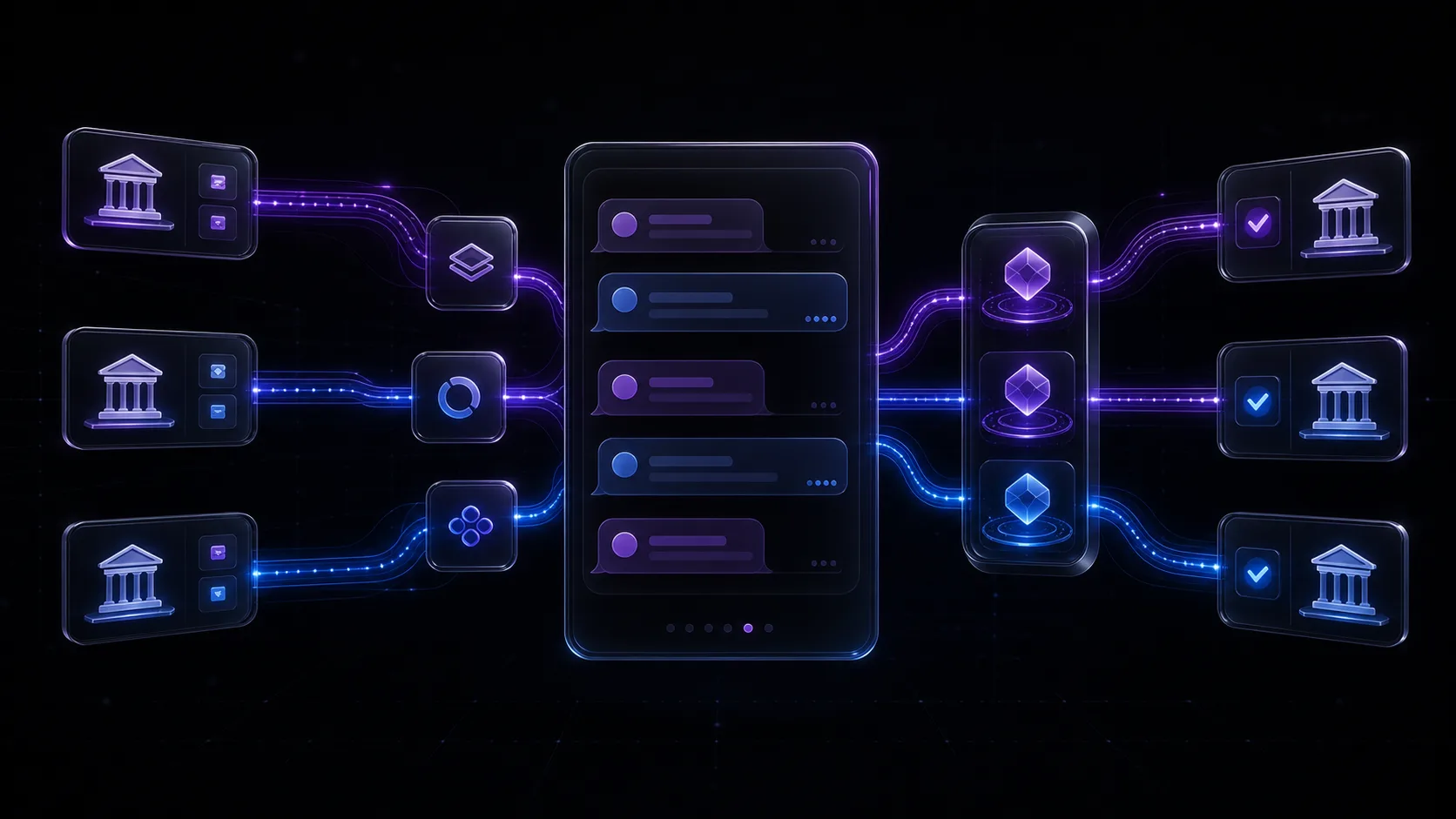
The minimum architecture includes sources, a unified intake API, a processing queue, a lead register, assignment rules, a working interface, and error monitoring. These components do not all have to be separate services. The first version can implement them compactly, but their roles should remain logically separate: accepting a request must not depend on whether Telegram or a particular manager is currently available.
-
01
Accept the Event
A form, bot, or messenger sends the source data to a unified intake layer. The system immediately records the event and returns a technical confirmation.
-
02
Validate and Normalize
Required fields are validated, phone numbers and other identifiers are converted to an agreed format, and the source and campaign tags are stored without manual copying.
-
03
Find a Duplicate or Related Contact
An idempotency key prevents a technical duplicate, while business rules help connect a repeat inquiry with an existing customer without hiding the fact that a new contact occurred.
-
04
Create and Assign
The lead receives an owner based on product, region, schedule, or queue. If the rule fails, the lead goes into a visible fallback list instead of disappearing.
-
05
Notify and Monitor
The employee receives a concise notification with a link to the record. A separate control checks whether work has started and escalates overdue action according to an agreed rule.
-
06
Record the Outcome
Every status transition is stored with its time and initiator. The reason for closure is selected from a clear reference list so that subsequent analytics reflect the actual process.
How to Account for Websites and Messaging Apps
Channels have different constraints, so they cannot be mechanically reduced to a single form. On a website, the user expects immediate confirmation and a clear next step. In a bot, the conversation may continue across several messages, and some information may appear later. The system must retain an incomplete state and must not treat every response as a new lead.
| Channel | What Must Be Preserved | Typical Risk |
|---|---|---|
| Website form | page, UTM tags, consent, entered contact details | loss of source data during transfer to the CRM |
| Telegram bot | conversation identifier, scenario step, user responses | creation of a new lead for every message |
| Public messenger | contact, conversation history, owner | work in a personal account without shared oversight |
| Phone call | number, time, recording or conversation outcome where there is a legal basis | absence of the conversation outcome from the shared record |
The employee interface should be selected according to the complexity of the work. Telegram is convenient for short commands, notifications, and confirmations. A web dashboard or CRM is better suited to search, bulk actions, long histories, and analytics. A combination is often sensible: the bot reports an event and allows a simple action, while the full record remains in the primary system.
Preventing Duplicates, Errors, and Stalled Leads
- assign every incoming event a stable key whose repetition does not create a new lead;
- distinguish a technical delivery duplicate from a new inquiry by an existing customer;
- retain the original event or a sufficiently detailed log for investigating disputed situations;
- retry temporarily unsuccessful operations with a limit on the number of attempts and an interval between them;
- move unprocessed events into a separate queue accessible to an operator;
- monitor not only service availability but also whether leads move through the expected statuses;
- restrict employee access to data by role and do not include unnecessary personal data in notification text.
It is especially important to separate lead creation from notification delivery. If Telegram is temporarily unavailable, the record must still exist and wait for another attempt to send the message. Conversely, a successfully delivered notification does not prove that an employee has started working. That requires a separate status or a confirmed action in the working interface.
Good automation makes exceptions visible: the standard flow proceeds without manual intervention, while disputed cases do not disappear behind a message saying that something went wrong.
Agentix Labs editorial principle
What Experience with Real Systems Shows
In the TransferBot project, a lead passes through a client-facing Telegram bot, an orchestrator, a queue, and a separate browser worker. The orchestrator stores the lifecycle, checks whether the user has an active lead, and distributes tasks. The worker atomically claims the work, updates intermediate states, and returns the result. This example shows why conversation handling, state management, and long-running execution are useful to separate, even when everything looks like one simple chat to the user.
In QRush, the incoming flow is handled by an event-driven system: new leads are checked against rules, duplicates are filtered out, and the state and result are stored for monitoring. Separate workers, state, and locks are provided for different accounts. A conventional sales system may have less demanding speed requirements, but the principles remain applicable: a unified identifier, isolation of independent flows, protection against repeated processing, and a clear log.
How to Implement Automation Step by Step
-
01
Map the Current Journey
Take one typical day and trace several leads from their source to the outcome. Record the systems, manual actions, owners, waiting periods, and points where information is copied.
-
02
Define the Data Model
Specify required fields, statuses, closure reasons, identifiers, and the owner of each stage. Decide separately which data is needed for the work and which data should not be collected.
-
03
Choose a Narrow First Scope
Start with one lead type and the two most important channels. Connect record creation, assignment, notification, and error monitoring without trying to automate the entire company at once.
-
04
Test Real Scenarios
Test a valid request, a retry, incomplete data, an unavailable external service, the absence of an owner, cancellation, and a manual correction. Make sure every outcome is visible to an operator.
-
05
Launch with a Fallback Process
During the first stage, compare the system register with actual inquiries and keep a clear manual path available. Once the process has stabilized, gradually connect additional channels and actions.
Agree on acceptance criteria before development begins. For example: every valid inquiry receives an identifier; repeating the same event does not create a duplicate; a delivery error is visible; a lead can be found by contact and source; status transitions include an author and time; and an unrecognized lead enters a fallback queue. These criteria are testable and more useful than the abstract requirement that the integration should work quickly.
When a Complex System Is Not Yet Necessary
If there are few inquiries, only one channel is used, and the owner personally responds to customers, a separate integration platform may be premature. It is enough to start by fixing the form, creating a simple register, and agreeing on a required outcome for every lead. Automation will not correct an unclear offer, the absence of an owner, or a process in which the team does not agree on the statuses themselves.
- do not automate fields and statuses that nobody uses when making decisions;
- do not transfer old duplicates into the new system without rules for cleaning and merging them;
- do not make a messenger the only repository for customer history;
- do not conceal a manual stage by presenting the process as fully automated;
- do not launch external actions without clear limits, roles, and a log.
Frequently asked questions
Is a CRM required to automate incoming leads?
Not always. A small process can begin with a unified register, an intake API, and clear statuses. If a CRM is already in use, the automation should create and update records in it rather than maintain a parallel database.
Can all leads be collected only in Telegram?
Telegram is convenient for notifications and short actions, but a chat is poorly suited to being the only register. The record, statuses, and history should be stored in a system where they can be found, checked, and used in reporting.
How does the system determine that a lead is a duplicate?
Technical retries are recognized by a stable event key. A repeat inquiry from a customer is identified by separate matching rules, such as a normalized phone number or conversation identifier. These situations must not be conflated: a new inquiry from an existing customer may require separate work.
Where should we start if we already have many channels?
Choose one lead type and the two channels with the greatest operational load. Define a shared set of fields and statuses, implement unified intake and error monitoring, and then connect the remaining sources using the same contract.
How should the implementation result be evaluated?
First compare the completeness of records, the share of leads without an owner, the time until the first recorded action, the number of technical duplicates, and the number of unprocessed errors. Financial impact should be assessed separately using the data of the specific business, without universal promises.
Sources
- Telegram Bot APIChecked 30 July 2026
- Yandex Metrica: GoalsChecked 30 July 2026
- Agentix Labs Case Study: TransferBotChecked 30 July 2026
- Agentix Labs Case Study: QRushChecked 30 July 2026